
Map notebook for iPhone
Pin it, name it, find it again
Drop a pin anywhere, call it what you call it, and add a note about why it mattered. Free to save, no account.

01 · Features
Every place worth keeping, on one list
Save any spot on the map, not just the ones with a listing, and keep what you know about it.
- PIN 01
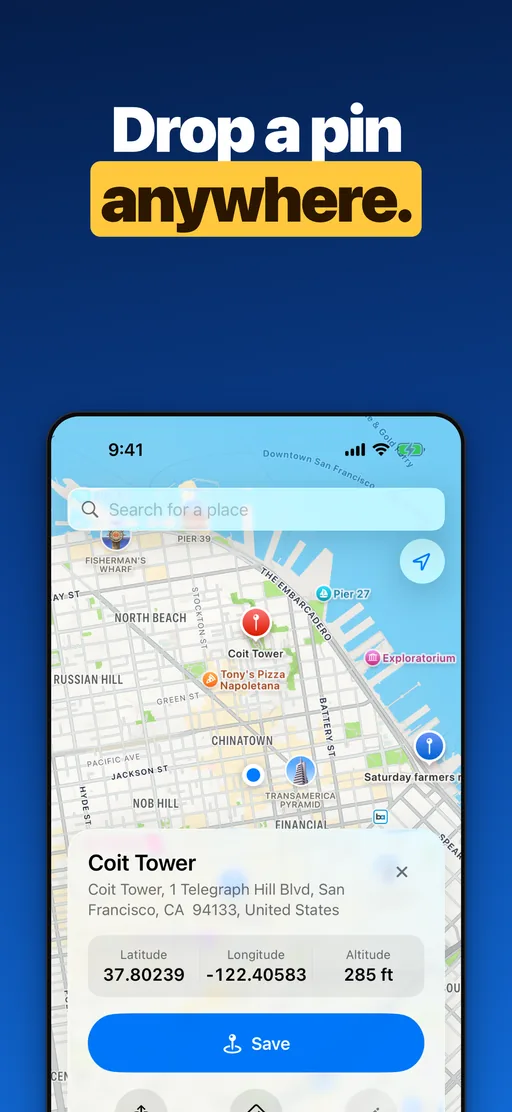
Drop a pin anywhere
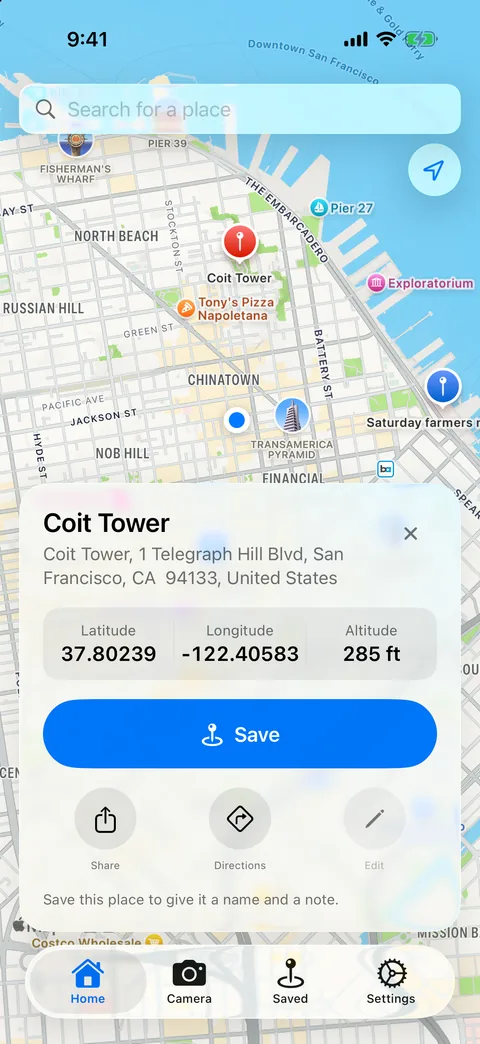
Tap the map to save any coordinate, like the garage level you parked on or a trailhead with no address, or tap Pin my location. Each pin shows its address, latitude, longitude and elevation.
- PIN 02
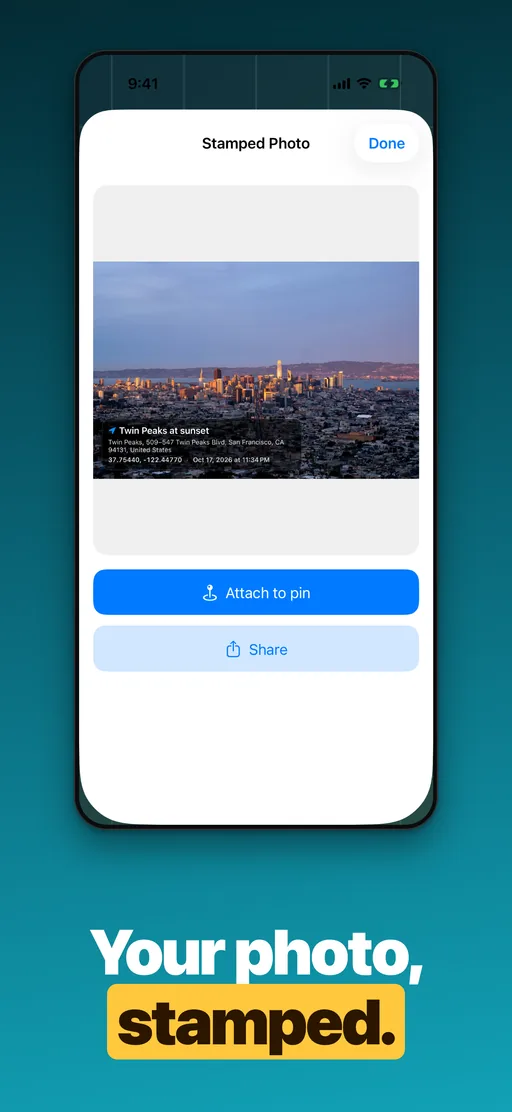
Stamp a photo with the place
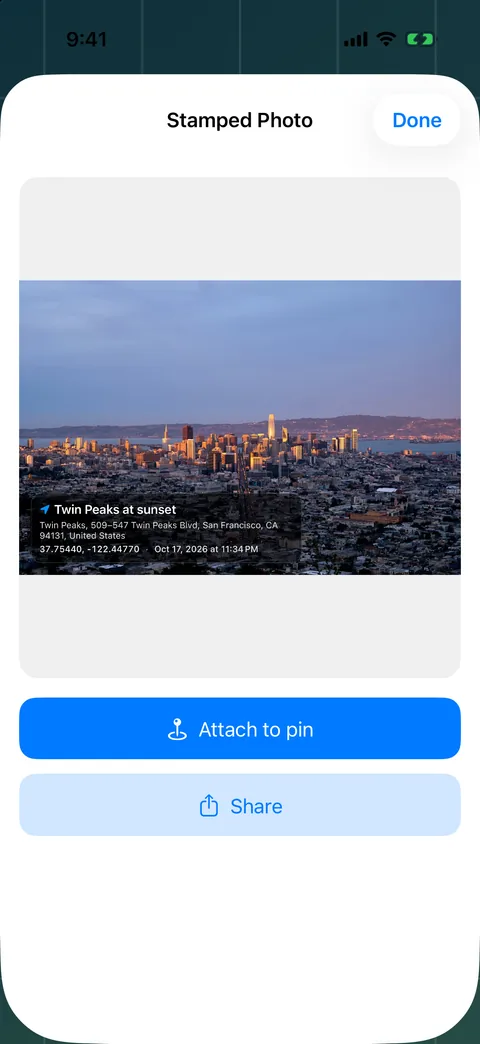
Take a photo or pick one from your library, and the place and date are printed on a banner across it. Attach it to a pin and the place carries the picture.
- PIN 03
Collections and your map app
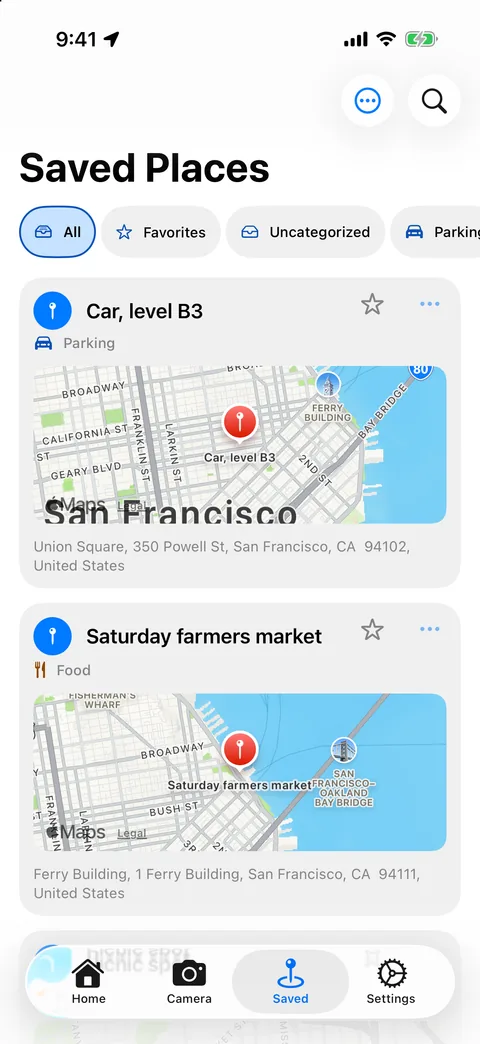
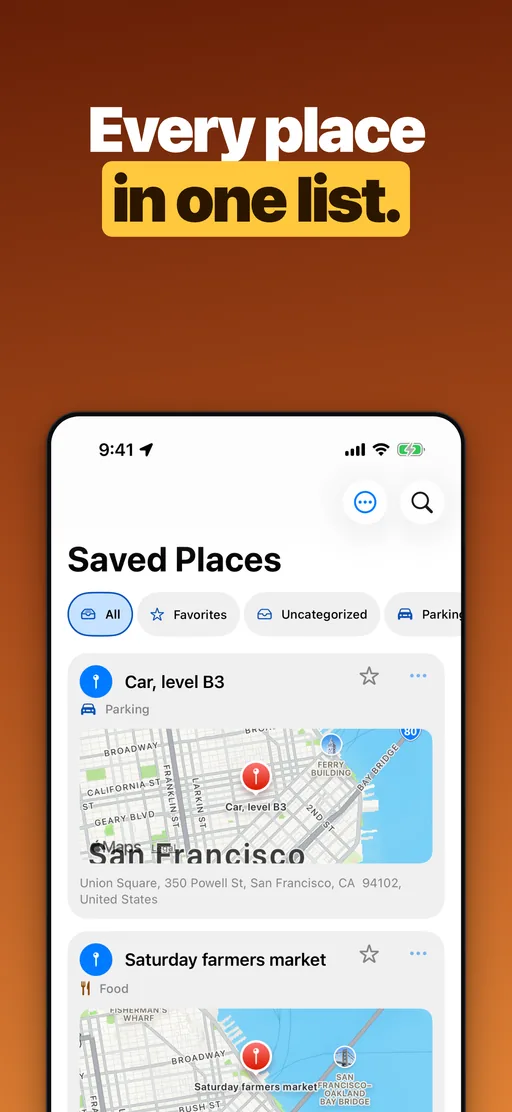
Keep places in Favorites or your own collections, filter and sort them, and get directions in Apple Maps, Google Maps, Waze or another map app you have installed.
02 · How it works
Three steps to a place you can find again
Pin it, save it with your own words, and open it when you need it. No account needed.
- Step 01
Drop a pin
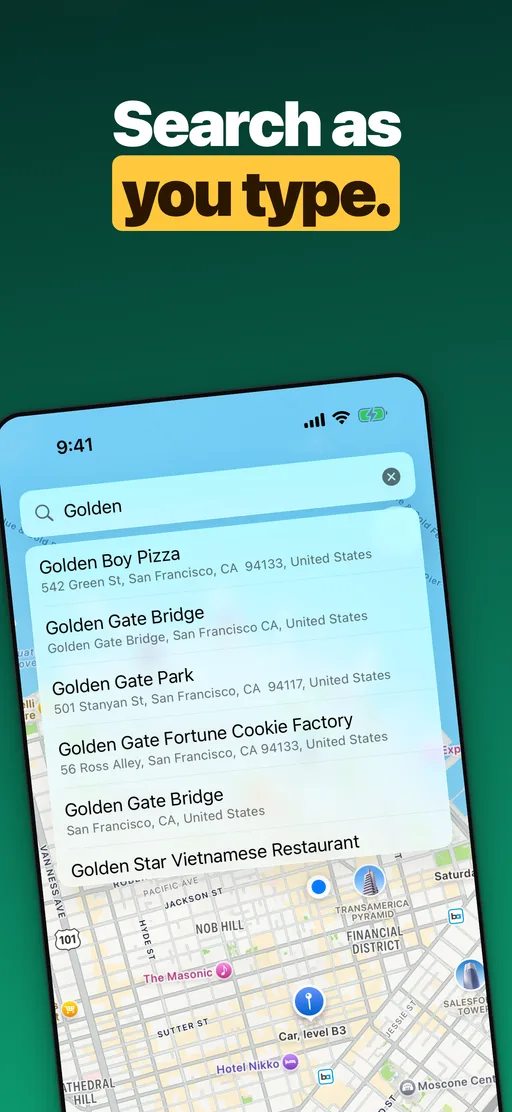
Tap anywhere on the map, search for a place by name, or tap Pin my location to save exactly where you are standing.
- Step 02
Make it yours
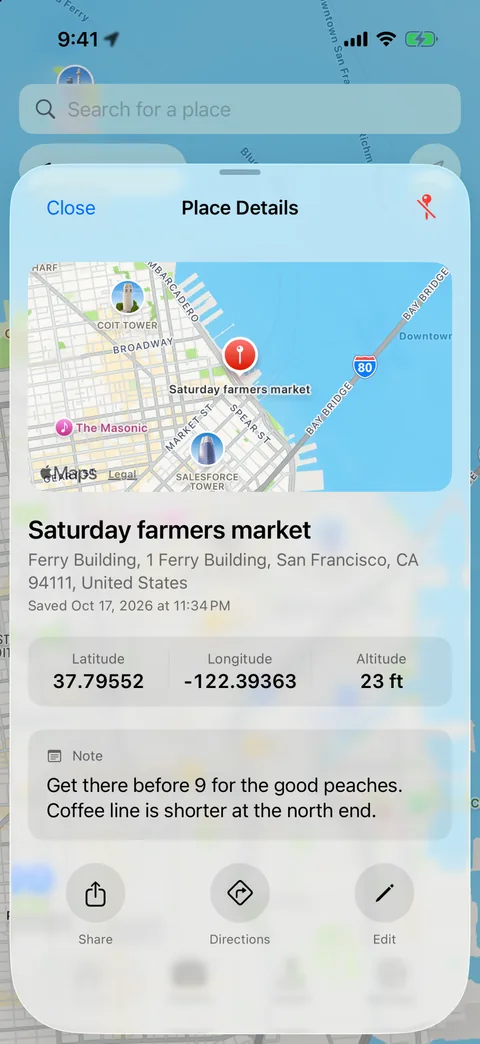
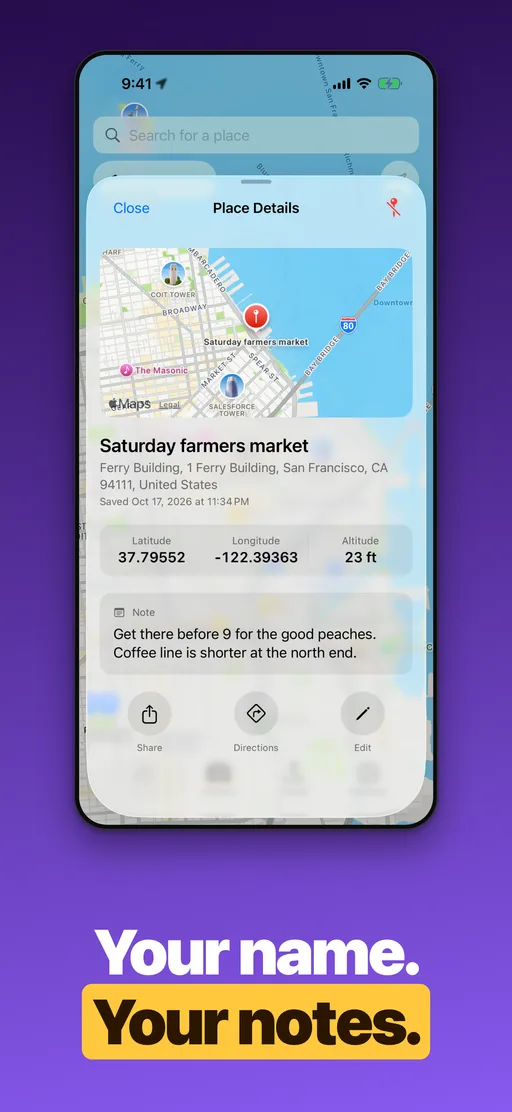
Give it the name you actually call it, add a note, attach a stamped photo, and put it in a collection.
- Step 03
Find your way back
Open Saved Places, tap the place, and get directions in the map app you already use.
03 · Inside the app
A closer look at Pin Location
04 · FAQ
Frequently asked questions
Short answers about pricing, privacy, maps and devices.
Is Pin Location free?
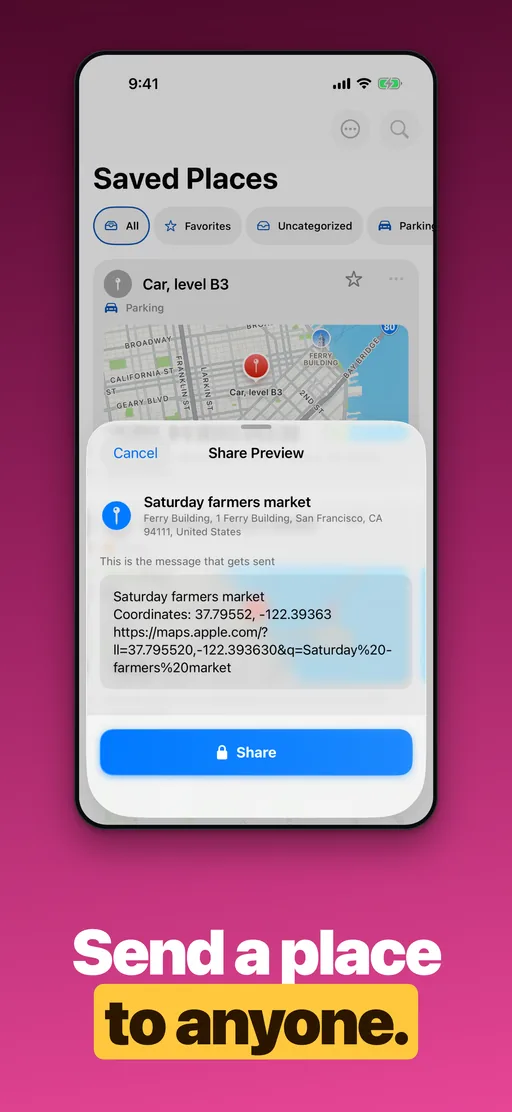
Yes. Saving places, notes, photos, collections and directions are all free and unlimited. Pin Location Premium is an optional subscription that unlocks sharing: sending a place, and sending stamped photos.
Do I need an account?
No. There is no account and no sign-up. Your pins, notes and photos live on your iPhone, and nothing is uploaded to us.
How is it different from saving a place in Apple Maps?
Apple Maps can drop, label and save a pin, and keep a private note on it. Pin Location adds a private photo on each place stamped with the place and date, the coordinates and elevation on every pin, a card list with collections and filters, and directions in whichever map app you prefer.
Which map apps can it open?
Apple Maps, Google Maps, Waze, Citymapper, Moovit, Sygic, Organic Maps, Yandex Maps, Yandex Navigator and 2GIS. Pin Location offers whichever of them are installed.
How accurate are the coordinates and elevation?
Coordinates, addresses and elevation come from Apple Maps and public elevation data, so treat them as approximate. Don’t rely on them for navigation, aviation or emergencies.
Which devices does Pin Location run on?
Pin Location is an iPhone app for iOS 26 or later, available in 12 languages, with a language picker right in the app.
Pinned
Save your first place for free
Download Pin Location and keep the places that matter, with your own notes on them.